Servicing All of Gauteng, South Africa

Smart TV Setup Service in Gauteng - Wi-Fi, Apps, Calibration & Soundbar

Bought a new Samsung Tizen, LG webOS, Google TV or Hisense VIDAA? Skip the three hours of fiddling with Wi-Fi, streaming logins, soundbar pairing and the punishing factory store-demo picture mode. Our technicians arrive, unbox, set everything up properly and hand over a TV that is ready to watch - same day across the whole of Gauteng.

R550
BASIC FROM
90 min
TYPICAL SETUP TIME
Same day
ACROSS GAUTENG
★★★★★ 4.9 / 5 from 287+ Gauteng customers - new TVs set up properly since 2013
Book a Smart TV Setup

Tell Us About Your New TV

Drop us the brand, model and size of your new Smart TV plus which package you are after. We will confirm a time slot - usually same day or next morning across Gauteng.

We will reply within minutes during business hours to confirm date, time and price.

Why Pay for Setup

Six Reasons Customers Book a Professional Smart TV Setup

"It's just a TV - I can plug it in myself" is a sentence that ends, on average, three hours later with a frustrated parent and a TV stuck in store-demo mode. Here is what professional setup actually buys you.

01

Saves You Hours

Most full setups take a customer 3-4 hours of menu fiddling. We do the same job properly in 90 minutes. That is an evening of your weekend back.

02

Properly Calibrated Picture

Out of the box every Smart TV ships in store-demo mode - blown-out brightness, over-saturated colour, fake sharpness. We calibrate to movie or filmmaker mode so the picture looks correct, not exhausting.

03

No Wi-Fi Headaches

Dual-band routers, 5 GHz mesh nodes, fibre ONT placement, ISP captive portals - we navigate the lot. Your new TV ends up on the correct band with stable streaming.

04

All Accounts Logged In

Netflix, Showmax, DStv Stream, YouTube, Prime, Disney+, Apple TV+ - all installed, signed in with your credentials and tested. No "Username Incorrect" lockouts at 9 PM on a Friday.

05

Soundbar Paired Correctly

HDMI ARC vs eARC, CEC handshake, Dolby Atmos passthrough, soundbar input switching - we set up the audio chain so one remote works the lot and you actually get the surround sound you paid for.

06

Voice Remote Programmed

Bluetooth pairing, microphone permissions, language preferences, soundbar volume mapping - the voice remote works as advertised, not as a glorified IR stick.

The Nathtec Setup Workflow

Our 7-Step Smart TV Setup Checklist

Every Nathtec setup follows the same disciplined sequence so nothing is missed and you end up with a TV that works the way the manufacturer intended.

01

Unbox & Inspect

We carefully unbox the new TV, visually check the panel for transport damage, verify all included accessories (remote, batteries, stand, base screws, manual, IR sensor cable) and dispose of the packaging tidily.

02

Mount or Stand Assembly

If you have a wall bracket we mount the TV (level-checked and stud-anchored). If you are on a stand we attach the supplied base, route the cables through the cable management channel and position the set squarely on your TV unit.

03

Wi-Fi Connect

We connect the TV to your Wi-Fi - choosing 5 GHz where available for streaming stability, falling back to 2.4 GHz for distant rooms. Captive-portal ISPs (Vumatel, Openserve, MetroFibre) are handled. We test stream stability before moving on.

04

Account Creation & Login

Each Smart TV platform requires a primary account (Samsung Account, LG Account, Google Account on Sony / TCL / Philips, Hisense Account). We create new or sign in to existing, with all credentials entered by you.

05

App Install + Sign-In

All major South African streaming apps installed and signed in - Netflix, Showmax, DStv Stream, YouTube, Amazon Prime Video, Disney+, Apple TV+ and any others you use. Each app tested on actual content before moving on.

06

Picture Calibration

We switch the TV out of the brutal store-demo mode and into movie / filmmaker / cinema mode, adjust backlight to room conditions, set the correct colour temperature, disable motion smoothing (the dreaded soap-opera effect) and turn off the dynamic contrast and noise reduction that obscure detail.

07

Handover Walkthrough

A 15-minute walkthrough showing you how the remote works, how to switch HDMI sources, how to access your apps quickly, how to adjust volume and how to update the TV firmware when prompted. Any questions are answered before we leave.

Platform Specifics

What Setup Involves on Each Smart TV Platform

Every Smart TV platform has its own quirks. Here is what we navigate on the four most common platforms in South African retail.

S

Samsung Tizen

Samsung Account creation, Smart Hub setup, Bixby voice assistant configuration, SmartThings app pairing for smart-home, optional Galaxy phone screen mirroring. Tizen has the cleanest interface but the most account scaffolding to configure.

  • Samsung Account creation / sign-in
  • Smart Hub app store activation
  • SmartThings hub pairing (optional)
  • Bixby voice setup
L

LG webOS

LG Account creation, Magic Remote pairing (point-and-click motion sensor), webOS launcher customisation, ThinQ smart-home setup. The Magic Remote needs proper calibration to track smoothly - we handle that.

  • LG Account creation / sign-in
  • Magic Remote pointer calibration
  • webOS launcher customisation
  • ThinQ app smart-home pairing
G

Google TV / Android TV

Used on Sony, TCL, Philips, Hisense and JVC. Google Account sign-in (with two-factor verification via phone), Chromecast Built-in setup, Google Assistant voice setup, Play Store activation. The cross-app content discovery row needs configuration too.

  • Google Account sign-in + 2FA
  • Chromecast Built-in activation
  • Google Assistant voice setup
  • Play Store and content row config
H

Hisense VIDAA

VIDAA Account creation, VIDAA voice setup, Anyview Cast screen-mirroring activation, app store configuration. Hisense VIDAA is the lightest of the major platforms but does require a separate account for app downloads beyond the preloaded set.

  • VIDAA Account creation / sign-in
  • VIDAA voice assistant setup
  • Anyview Cast mirroring activation
  • App store configuration
Smart TV Setup Pricing

Three Clear Setup Packages - Pick the One That Fits

Transparent Rand pricing for our three Smart TV setup tiers. All include free written quote, same-day service where possible and our standard workmanship guarantee.

BASIC SETUP

R550

Quick on-and-running setup for customers who just want the basics working today.

  • Unbox & inspect
  • Stand or basic mount
  • Wi-Fi configuration
  • 2 streaming apps + login
  • Remote pairing & programming
  • 15-min handover walkthrough

Best for second bedrooms, small lounges, customers who just need it on.

Book technician via WhatsApp
MOST POPULAR FULL SETUP

R1,100

Our most popular package - everything you need for the main lounge TV including soundbar and voice remote.

  • Everything in Basic
  • All major streaming apps
  • Soundbar pairing (HDMI ARC / eARC)
  • Voice remote setup
  • Basic picture mode adjustment
  • Source device linking (DStv, console)

Best for main lounge TVs, customers with a soundbar, anyone who wants it done properly.

Book technician via WhatsApp
PREMIUM SETUP

R1,700

Full enthusiast setup including professional picture calibration, parental controls and 30 days of phone support.

  • Everything in Full
  • Professional picture calibration
  • Parental control configuration
  • Smart-home integration
  • Screen mirroring config
  • 30-day phone support

Best for OLED / QLED flagship TVs, home cinemas, families with kids needing controls.

Book technician via WhatsApp

Please note that all prices displayed are estimated starting prices only. Final repair costs may vary depending on the TV size, model, fault diagnosis, parts required, labour, and any additional repairs needed after inspection.

Inside a Nathtec Setup

Eight Things Every Smart TV Setup Touches

A look at the moving parts of a proper Smart TV setup - any one of which can take an unprepared customer half an hour or more.

STREAMING ACCOUNT

Netflix login

Sign-in, profile selection, 4K streaming verification on your subscription tier, auto-play settings disabled by default.

SHOWMAX Showmax login + SuperSport for Premier League
DSTV DStv Stream / decoder linking and HDMI-CEC pairing
AUDIO Soundbar pairing via ARC / eARC
REMOTE Voice remote pairing + microphone permissions
CALIBRATION

Picture mode & backlight

Out of store-demo mode and into proper movie / filmmaker mode tuned to your room.

SCREEN MIRRORING Chromecast / AirPlay / Anyview Cast / SmartView - mirror your phone or laptop to the TV without cables.
PARENTAL CONTROLS Age restrictions, master PIN lock, kid profiles on Netflix / Showmax / DStv Stream. (Premium package.)
Real Customer Setups

Three Recent Smart TV Setups From Around Gauteng

Anonymised case studies from our recent installation log - typical setup jobs and how we delivered them.

PT
Pretoria new home - Faerie Glen
65" Samsung QLED Q60C + soundbar

Customer needed

Family had just moved into a newly built home in Faerie Glen. New 65-inch Samsung QLED still in the box, Samsung Q800 soundbar still in the box, brand new Vumatel fibre line active. They wanted everything working before the weekend.

What we delivered

Premium Setup: wall-mounted TV on the lounge feature wall, soundbar paired via HDMI eARC with Atmos passthrough verified, all streaming apps signed in, parental controls on for the two younger kids, professional picture calibration in movie mode.

R1,700 Duration: 2h 40m
SN
Sandton apartment - Hyde Park
55" LG OLED C3 + Sonos Beam

Customer needed

Single professional in a Hyde Park apartment. Brand new 55-inch LG OLED C3 on a feature stand, Sonos Beam soundbar, wanted streaming services and screen mirroring from MacBook for work presentations.

What we delivered

Full Setup with Magic Remote calibrated, Sonos Beam paired via HDMI eARC with TruePlay tuning, AirPlay 2 enabled for the MacBook, all streaming apps signed in. Customer requested filmmaker mode for evening movie watching - configured and demonstrated.

R1,100 Duration: 1h 50m
MR
Midrand family - Carlswald
50" Hisense U7K + 3 young kids

Customer needed

Young family in Carlswald, three kids aged 4 / 7 / 10. New Hisense U7K 50-inch upgraded from an old plasma. Parents specifically wanted parental controls active before the TV was switched on for the first time.

What we delivered

Premium Setup with VIDAA Account, master PIN configured, Netflix and Showmax kid profiles for each child, YouTube Restricted Mode on, all 18+ content categories PIN-locked. Picture calibrated for the family living room. Parents walked through how to add and remove restrictions.

R1,700 Duration: 2h 25m
No Extra Charge

What Comes Free With Every Smart TV Setup

Things we do not bill separately because they are part of doing the job properly.

Cable management & tidying
Packaging removal & disposal
Firmware update to latest version
Battery insertion for new remotes
Handover walkthrough & Q&A
Test stream on multiple apps
Existing HDMI source linking
Quick TV-care tips for longevity
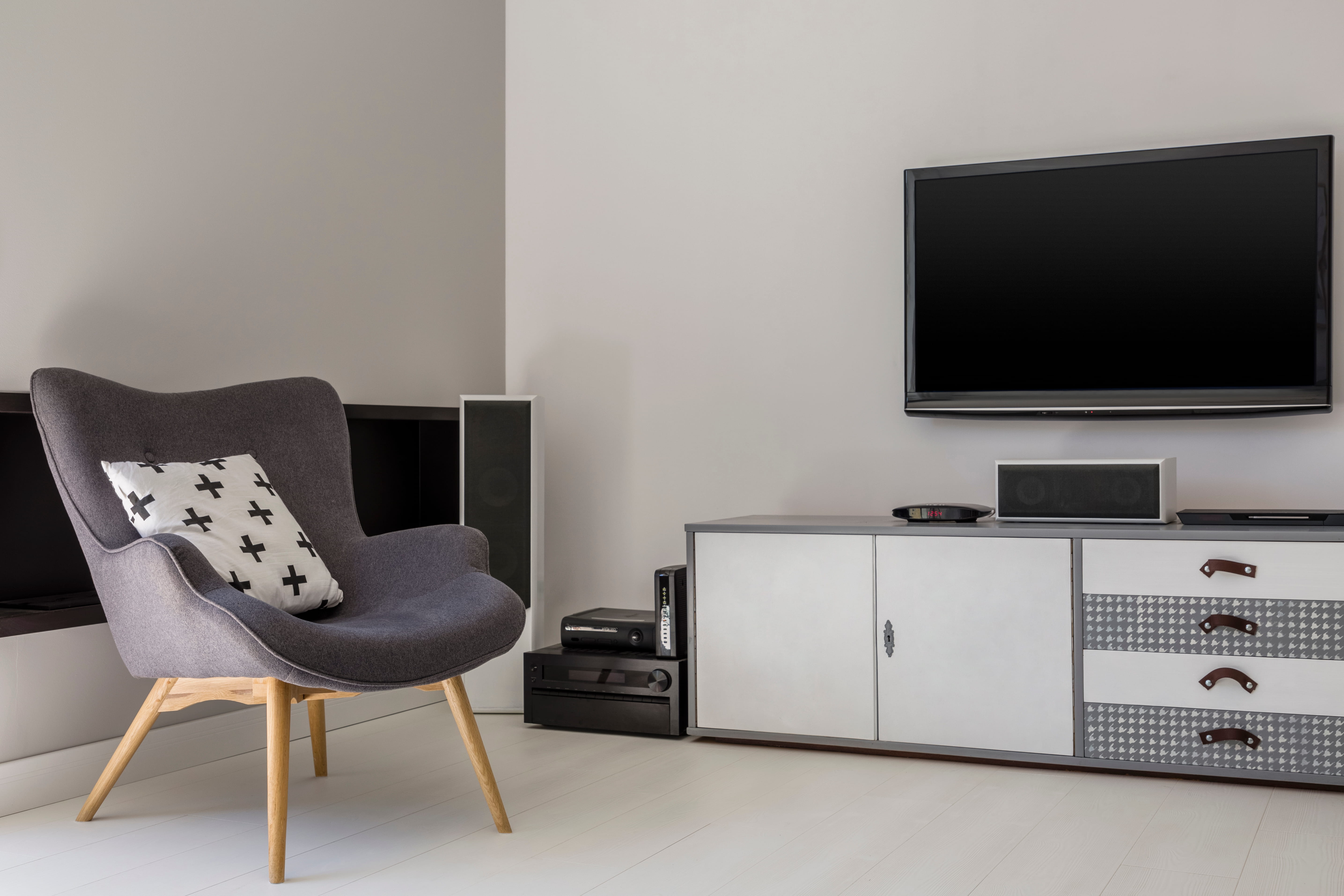
Newly set up Smart TV in modern living room - Nathtec Smart TV setup specialists Gauteng Same-Day Smart TV Setup
Why Nathtec for Setup

We Set Up Every Major Smart TV Platform - Every Single Week

Setting up a new Smart TV is something we do daily in our Gauteng workshop. Customers across Sandton, Pretoria, Midrand, Randburg and Soweto have hired us to set up everything from R4,200 entry-level Hisense VIDAA sets through R45,000 LG OLED C-series flagships. That breadth of experience means we know exactly which Tizen menus hide the soap-opera-effect setting, where to find the Google Account two-factor verification flow on Sony Google TV, how to coax a stubborn Magic Remote on a LG webOS set into pointer-mode tracking, and how to get Netflix into 4K streaming on a Hisense VIDAA without buffering.

The setup work is unglamorous but it makes a big difference. A properly calibrated picture changes the way every movie and show looks - and a Smart TV set up properly out of the box becomes a TV the family actually enjoys using rather than one that gets blamed for "not working" three times a week. That is the experience we are paid to deliver.

Every Nathtec Smart TV setup is done by a trained technician, not a delivery driver. We arrive on time in a marked vehicle, work cleanly, take away packaging, and walk you through how everything works before we leave. If the TV has a defect from the store we identify it during setup and help you with the return.

Areas We Service

Smart TV Setup Across Every Suburb in Gauteng

From Soweto to Sandton, Pretoria North to Midrand - there is a Nathtec setup technician within easy reach. Same-day service where possible.

Not seeing your suburb? Call 078 721 3551 to confirm coverage.

Smart TV Setup FAQ

Common Questions About Our Setup Service

A complete Smart TV setup includes unboxing and inspection, mounting or stand assembly, Wi-Fi configuration on both 2.4 GHz and 5 GHz bands, account creation or login to Netflix, Showmax, DStv Stream, YouTube, Amazon Prime and Disney+, app installation, picture calibration to factory or movie mode, soundbar pairing via HDMI ARC or eARC, voice remote programming and a full handover walkthrough.

Smart TV setup in Gauteng ranges from R550 for our Basic package (Wi-Fi, 2 apps, remote programming) to R1,100 for Full (everything in Basic plus all major streaming apps, soundbar pairing and voice remote) to R1,700 for Premium (everything in Full plus professional picture calibration, parental controls, smart-home integration and 30-day phone support). Same-day across Gauteng where possible.

Modern Smart TVs are advertised as easy to set up but in practice the process can take 2-4 hours - configuring Wi-Fi on dual-band routers, creating or logging into half a dozen streaming accounts, pairing the soundbar with the right HDMI ARC setting and calibrating the picture out of the overly-bright store demo mode. A professional setup gets you watching properly in around 90 minutes.

Yes. We log into your existing Netflix, Showmax, DStv Stream, YouTube, Amazon Prime Video, Disney+, Apple TV+ and any other streaming services using your credentials and verify each is working before we leave. If you do not yet have accounts we can help you create them on the day. All credentials are entered by you - we never record or store your passwords.

Yes - soundbar pairing via HDMI ARC or eARC is included in our Full and Premium packages. We configure CEC handshake on the TV so one remote controls both devices, verify Dolby Digital or Dolby Atmos passthrough where supported, and test the entire audio chain on actual streaming content before we leave.

Basic setup is typically 45-60 minutes on site. Full setup with soundbar pairing and all streaming apps takes 90 minutes to 2 hours. Premium setup with picture calibration and parental controls takes around 2-3 hours. All packages include a 15-minute handover walkthrough at the end.

Yes - we set up every major Smart TV platform: Samsung Tizen, LG webOS, Sony Google TV, Hisense VIDAA, TCL Google TV, Philips Android TV / Google TV, Panasonic My Home Screen, and the proprietary platforms on Sinotec, Telefunken, Skyworth, JVC and other brands sold in South Africa. The workflow is the same - only the menu navigation differs.

Parental control configuration is included in our Premium Smart TV setup package. We configure age restrictions on each streaming service, set up a master PIN that locks adult content categories, configure time-limit features where the TV supports them, and walk you through how to add and remove restrictions. We also configure separate kid profiles on Netflix, Showmax and DStv Stream.

The Complete Guide to Professional Smart TV Setup in Gauteng

The Smart TV that arrived in a box from Game, Hirsch's, Incredible Connection or Takealot is not the same Smart TV that ends up watchable on your living-room wall. Between those two states sits anywhere from one to four hours of menu fiddling, Wi-Fi negotiation, account creation, soundbar pairing and picture calibration - none of which is technically difficult but all of which adds up to a lost evening for the customer who just wanted to watch the rugby. The Nathtec Smart TV setup service exists to compress that lost evening into a 90-minute professional visit that gets the job done properly the first time.

Our setup customers fall into three rough categories. The first is the new-build customer - typically a young family in a Faerie Glen, Centurion, Fourways or Modderfontein estate who has just moved in, bought everything at once, and now needs the new TV, new soundbar and new fibre connection to all start working together before the weekend. The second is the upgrade customer - usually replacing a five or ten year old plasma or early LED with a modern OLED or QLED, and discovering that the new Smart TV requires substantially more setup work than the old "press power, plug in DStv" workflow they were used to. The third is the gift customer - parents or relatives who have received a Smart TV as a Christmas or birthday gift and need someone to handle the technology side because nobody in the household particularly wants to. All three categories share the same simple requirement: someone competent to arrive, do the job properly, and leave them with a watchable TV.

Why Smart TV Setup Actually Matters - the Picture Mode Problem

If we had to pick the single most overlooked aspect of new Smart TV ownership it would be the factory picture mode. Every Smart TV ships from the manufacturer in "store demo" or "vivid" mode - settings deliberately tuned for visual impact on a brightly lit showroom floor where the TV needs to compete for attention against a dozen rivals on adjacent shelves. The result is a picture that is around 30-40 per cent too bright for a normal home lounge, with saturation cranked up to a level that makes faces look slightly orange, sharpness pushed beyond the panel's resolution capability (so edges shimmer), and motion smoothing engaged at the highest setting (which is what creates the famous "soap opera effect" where a film starts looking like a daytime soap).

Almost every Smart TV customer eventually adjusts these settings - but usually not for months, and often by trial-and-error to a state that is no better than the original. A proper professional calibration takes 20-30 minutes, gets the picture into the manufacturer's "movie" or "filmmaker" mode (which is genuinely tuned for content fidelity rather than showroom impact), reduces backlight to the level appropriate for your specific room lighting, and disables the cosmetic processing that obscures actual content detail. The result is a picture that looks subtly less impressive on initial impression but is dramatically less fatiguing to watch for two hours straight - which is, after all, the actual job of a TV.

Wi-Fi, Streaming Logins and the South African Fibre Reality

The Wi-Fi side of Smart TV setup has become significantly more complex over the past five years. Modern South African homes typically run fibre on Vumatel, Openserve, MetroFibre or Frogfoot, often with mesh Wi-Fi systems from Linksys, TP-Link or eero distributing 2.4 GHz and 5 GHz bands across the house. New Smart TVs need to be steered onto the correct band (5 GHz for streaming where signal is strong enough, 2.4 GHz for distant rooms) and onto the correct mesh node. ISP captive portals occasionally interrupt the initial onboarding flow. We have configured Wi-Fi on every common router and mesh setup in South African homes and we know the specific gotchas of each.

On the streaming side, every Smart TV platform requires a primary account (Samsung Account, LG Account, Google Account, VIDAA Account) before the major apps can be downloaded from the platform store. Each app then requires its own sign-in. Netflix, Showmax, DStv Stream, YouTube, Amazon Prime Video, Disney+ and Apple TV+ together comprise around half an hour of sign-in workflow if everything goes smoothly, and substantially more when two-factor verification codes need to be received and entered, or when an existing account has been logged out everywhere by the streaming service's anti-piracy controls. We handle the full sequence and test each app on actual content before signing off.

Where We Setup Smart TVs Across Gauteng

For Smart TV setup service across Johannesburg, Sandton, Pretoria, Midrand, Randburg and Soweto, our mobile technicians travel with the necessary tools, mounting hardware, HDMI cable selection and account-onboarding workflow already prepared. Same-day service is typically possible if you book before midday; otherwise the next morning is normally available. Across every service area we apply the same pricing, the same workflow and the same standard of work.

Looking for adjacent services? See our full TV installation page (the same workflow plus more complex wall mounting and source device integration), our wall mounting service (mount only, no setup), and our brand-specific pages for setup quirks on Samsung, LG, Sony, Hisense, TCL, Philips, Panasonic, Skyworth, Sinotec, JVC, Toshiba, Telefunken, Devanti, Blaupunkt and Sharp. If your existing Smart TV has developed a fault rather than needing setup, our Smart TV repairs, LED repairs, OLED repairs, QLED repairs, Wi-Fi repairs, HDMI repairs, sound repairs, remote sensor repairs, backlight repairs, motherboard repairs, power supply repairs and screen repairs pages all cover specific fault scenarios. For general guidance see common TV problems, the repair cost guide and the troubleshooting page; for urgent jobs emergency TV repairs and same-day repairs. Background at about us, why choose us, areas we service, the main FAQ and contact.

Why Choose Nathtec for Your Smart TV Setup

The honest truth about Smart TV setup is that almost any reasonably competent technician can do it - but most retail-channel setup services are delivered by drivers rushing between five appointments in a day, with neither the brand-specific knowledge to navigate menu quirks nor the time to do the picture calibration properly. We approach setup the same way we approach repair: a single technician on the job, the time required to do it right, and a handover that leaves the customer genuinely happy rather than relieved-the-driver-has-gone. That difference is reflected in the price point - and in the customers who consistently come back for setup work on the second, third and fourth TV in the household over the years.

Our Smart TV setup service includes free initial WhatsApp consultation to confirm scope and price, transparent fixed-price packages, same-day service where possible, full handover walkthrough on every job, and our 30-day phone support on the Premium package for when you forget how to do something the technician demonstrated. To book a Smart TV setup anywhere in Gauteng, call or WhatsApp on 078 721 3551. Tell us the brand and size of the new TV, the suburb, and which package you are after. Return to the Nathtec homepage for the full service overview.
Book Your Smart TV Setup

New Smart TV? Skip the Headache - Book Us Now.

From a 50-inch Hisense VIDAA in Midrand to a 75-inch Samsung Neo QLED in Centurion, our setup technicians are ready. Call or WhatsApp with the brand, model and suburb and we will confirm a time slot within minutes.

Fixed-price packages Same-day available Free quote first 30-day phone support (Premium)
!

Important Pricing Note

Please note that all prices displayed are estimated starting prices only. Final repair costs may vary depending on the TV size, model, fault diagnosis, parts required, labour, and any additional repairs needed after inspection.