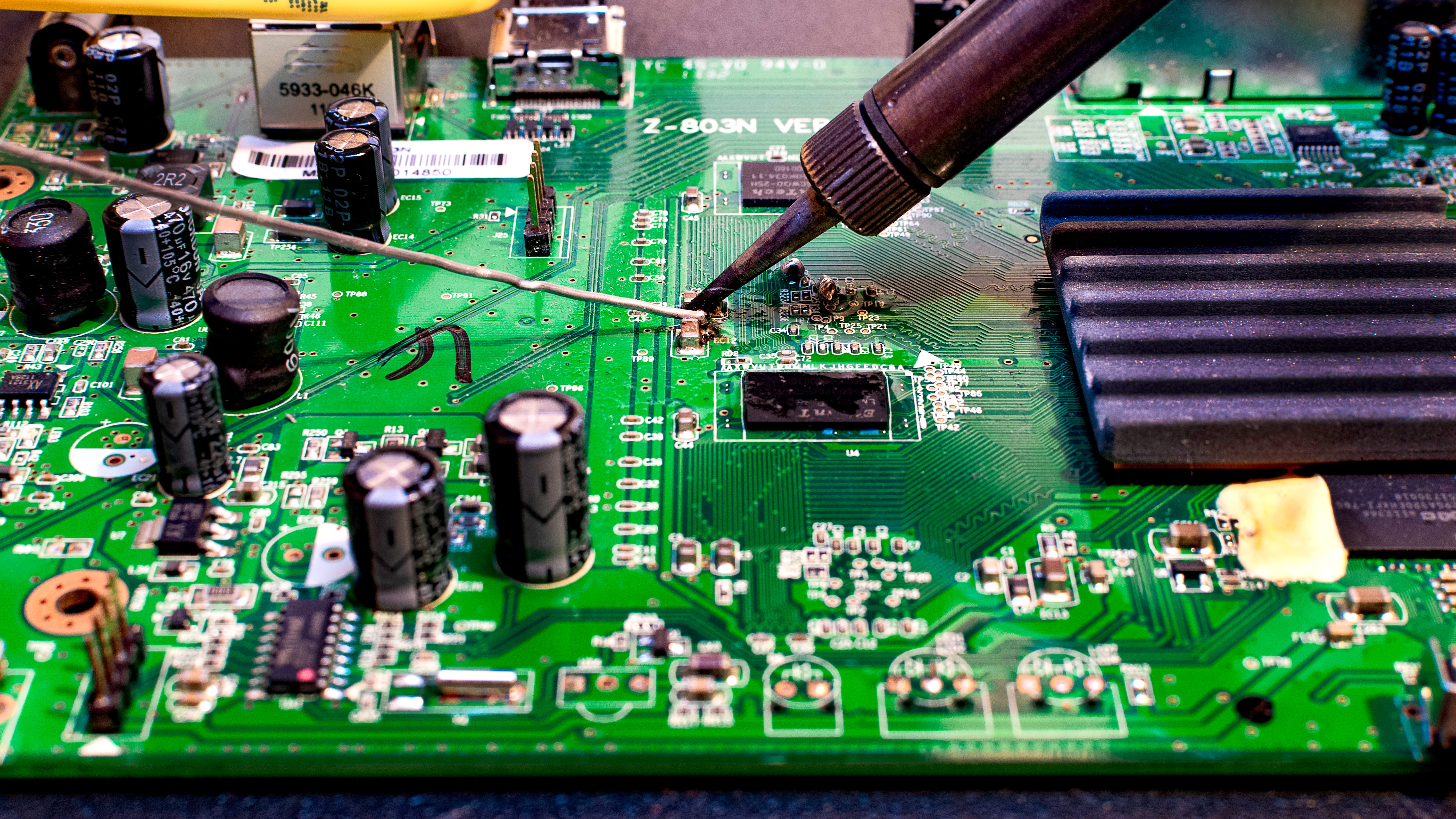
The Complete Guide to TV Sound Repair in Gauteng
A modern television's audio chain is a small but surprisingly sophisticated piece of engineering. Audio enters the TV from one of more than half a dozen possible sources — HDMI, optical, antenna, USB, internal Wi-Fi stack, Bluetooth — gets routed into the main system-on-chip, decoded by a dedicated audio DSP, sent through a Class-D amplifier IC, and finally driven out to the internal speakers or routed via HDMI-ARC and eARC to whatever soundbar or AV receiver you have connected. Each one of those stages can fail in its own characteristic way, and a properly trained technician can usually narrow down the root cause to one or two specific components just from a careful description of the symptom.
At Nathtec TV Repairs we've spent more than a decade diagnosing exactly those faults for households and businesses across Gauteng. Sound complaints account for roughly one in five of every repair brought into our Johannesburg workshop, and the vast majority — well over 90% — are resolved for under R2,200 with a same-day or next-day turnaround. Component-level repair, brand-matched OEM speakers and proper service-mode firmware tooling are the three things that allow us to deliver that consistently.
No Sound at All — The Most Common Audio Fault
"My TV has no sound" is, by some margin, the most frequent audio complaint we receive. The underlying cause is almost always one of four things, in order of frequency: a failed Class-D amplifier IC (around 45% of cases), a blown internal speaker (25%), a stuck audio mute or routing setting in firmware after a Smart TV update (20%), and finally an HDMI-ARC handshake fault that has silently routed all audio to a disconnected or powered-off soundbar (10%). The diagnostic order matters because each fault is fixed differently, with very different costs.
Our diagnostic process for no-sound complaints starts with a quick firmware-side check (is audio routed to internal speakers or external? has a hidden eco-mode mute been engaged?), followed by a signal-injection test directly to the speakers (proves the speakers and amp are working), followed by oscilloscope tracing of the Class-D amplifier output, followed by component-level inspection of the audio circuit. The whole sequence typically takes 30–45 minutes and gives us a definitive root cause every time. Repair costs run from R550 (firmware re-flash) to R3,400 (full audio board) with most cases falling in the R1,100–R1,800 zone.
Distortion, Crackling and Buzzing
Distorted or crackling TV audio is the second most common complaint we see, and it tells a very specific story about the failure mode. Distortion that gets worse at higher volumes is virtually always a speaker or amplifier issue — a partially torn speaker cone, a degraded output coupling capacitor, or a failing Class-D amp IC starting its slide toward total failure. Distortion that's present even at low volumes points more often to a marginal voltage rail feeding the audio circuit. Continuous low-level buzzing or humming with no source playing is usually power-supply leakage into the audio ground — a fault on the power supply board rather than the audio circuit itself.
South African mains conditions are a major contributor to all of these faults. The combination of frequent load-shedding cycles, surge events when power returns, and the resulting voltage spikes puts unusual stress on the Class-D amplifier output stages and their associated capacitors. We see distinct seasonal patterns in the audio repairs that come through the workshop — major waves of amplifier IC failures typically follow extended load-shedding stages, and lightning-storm season brings characteristic torn-speaker damage from sudden over-volume audio bursts during electrical events.
HDMI-ARC, eARC and the Soundbar Handshake Problem
One of the most counter-intuitive audio complaints we deal with is the customer who says "my TV speakers work fine but my soundbar doesn't get any sound" — and assumes the soundbar must be broken. In well over half these cases, the soundbar is perfectly fine. The fault is in the HDMI-ARC or eARC handshake between the TV and the soundbar — a complex protocol-level negotiation that has to succeed every single time you turn on the system, and which is vulnerable to all kinds of edge-case failures after firmware updates.
The HDMI-ARC standard relies on the CEC (Consumer Electronics Control) channel — branded as Anynet+ on Samsung, Simplink on LG, Bravia Sync on Sony, EasyLink on Philips and just CEC on most other brands — to coordinate which device should be receiving audio at any moment. When a Smart TV firmware update changes CEC behaviour even slightly, the soundbar can stop receiving an ARC signal until the configuration is properly re-established. eARC adds a higher-bandwidth back-channel for full Dolby Atmos and DTS:X bit-stream audio, which requires HDMI 2.1 negotiation that's even more sensitive to settings. We fix all of these through service-mode access, firmware re-flash, and ARC port verification — typically for R780–R1,100 with no hardware replacement at all.
Bluetooth Audio, Soundbar Pairing and Wireless Headphones
Wireless audio has become standard on every Smart TV released in South Africa over the past five years. Tizen, webOS, Google TV and VIDAA all support Bluetooth headphones and soundbars natively, with most brands offering proprietary wireless protocols on top (LG WiSA, Samsung Q-Symphony, Sony S-Centre). When Bluetooth pairing starts failing — the TV can't find the device, the device pairs but never connects, audio cuts out repeatedly — there are three possible roots: corrupt Bluetooth stack in firmware (most common, fixed by re-flash), wrong audio codec negotiation (fixed by setting force), or actual hardware failure of the combined Wi-Fi/Bluetooth radio module on the TV main board.
The combined module is replaceable on most modern TVs as a discrete component, costing R900–R1,700 to fit. On older models where Bluetooth is integrated into the main system-on-chip, the only hardware fix is main-board level work — see our motherboard repairs page for that pathway. We resolve the vast majority of Bluetooth audio complaints without any hardware swap, however, just through proper firmware handling and stack reset.
Brand-Specific Audio Quirks
Every TV brand has its own audio architecture and its own characteristic failure modes. Samsung Tizen TVs are particularly prone to ARC handshake issues with non-Samsung soundbars after firmware updates — usually fixed by toggling Anynet+ off and on and re-flashing if needed. LG webOS TVs have the well-known "Simplink lost" issue affecting older 2017–2019 models — typically resolved by full firmware re-flash. Sony Bravia sets use the X1 Ultimate or similar processor with very robust audio routing, but their internal Class-D amps fail in characteristic ways after long use. Hisense VIDAA and TCL models share certain audio chipsets and have similar failure modes, particularly on the entry-level LED series.
Our workshop's audio bench is set up specifically to address those brand-specific patterns. We work on Samsung, LG, Sony, Hisense, TCL, Skyworth and Panasonic TV audio every week, and the brand-specific knowledge translates directly into faster diagnosis and lower bills.
Same-Day TV Sound Repair Across Gauteng
For the great majority of audio faults, same-day turnaround is genuinely achievable. Component-level amp IC work, speaker replacement, HDMI-ARC firmware re-flash and Bluetooth stack resets can all be completed within a single day on the bench. More complex cases — full audio board replacement on rare models, or lightning damage that affects multiple subsystems — may extend to 48 hours. In-home audio diagnostics are available across Johannesburg, Sandton, Pretoria, Midrand, Randburg and Soweto.
For related repairs, see our pages on HDMI port repair, Wi-Fi connectivity repairs, motherboard repairs, power-supply repairs and our overview of common TV problems. For a complete pricing index, see the repair cost guide. To start a sound-repair conversation, call or WhatsApp 078 721 3551 with the TV brand, model and a short description of what you're (not) hearing.